
Card Barcodes
Unlimited cards, no ads
Card Barcodes keeps every loyalty and membership card on your iPhone, ready to scan.
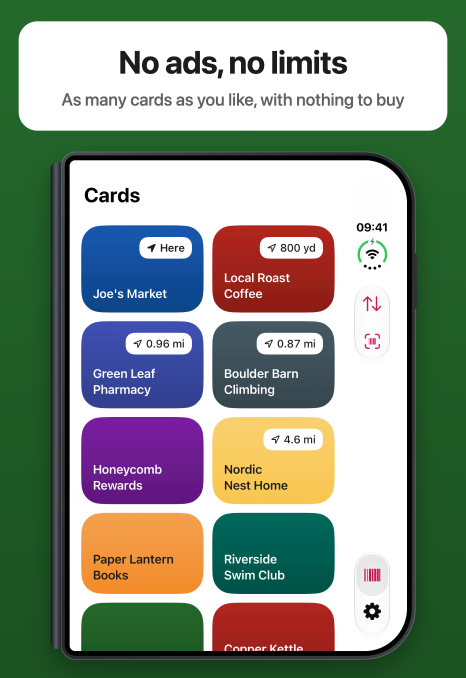
It is free, with no ads, no in-app purchases and no limit on how many cards you keep, and it always will be.
Download on the App StoreScreenshots
Features
READY AT THE TILL
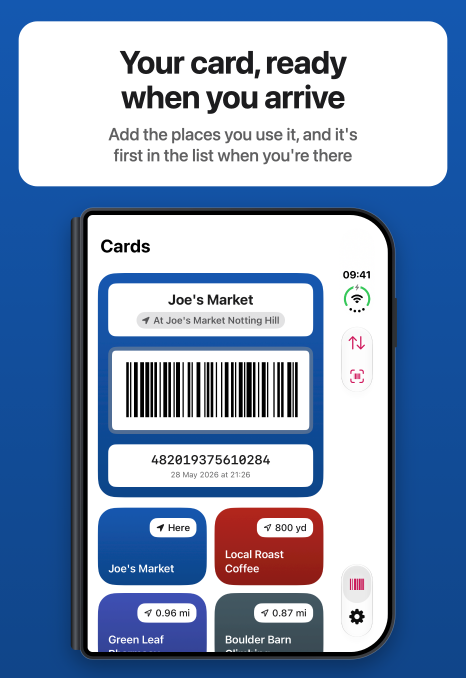
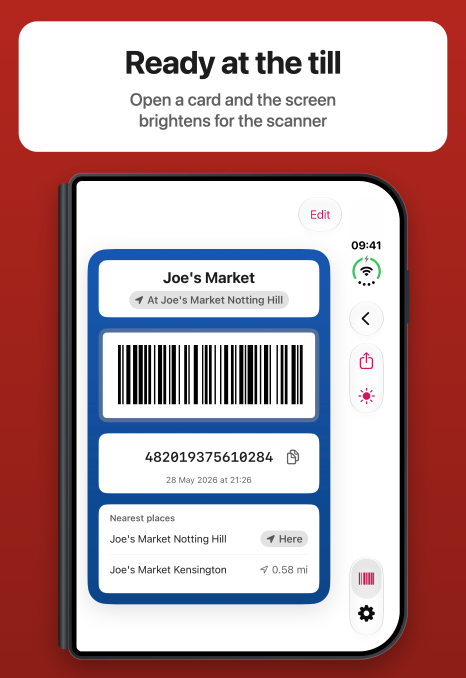
Open a card and the screen brightens, so the scanner reads it first time. The number sits under the barcode for when it needs typing in.
THE RIGHT CARD WHEN YOU ARRIVE
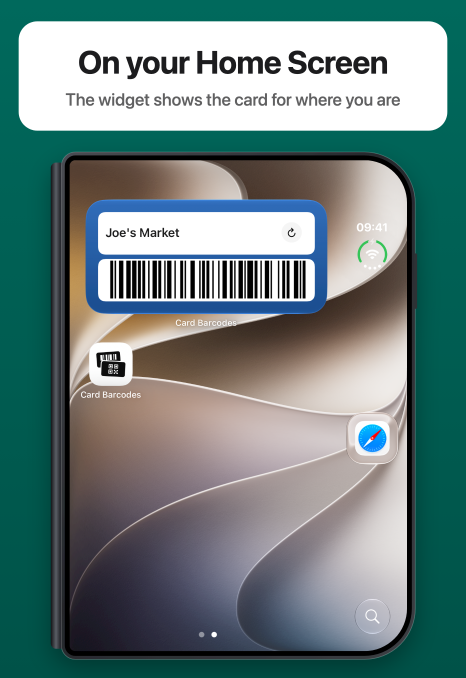
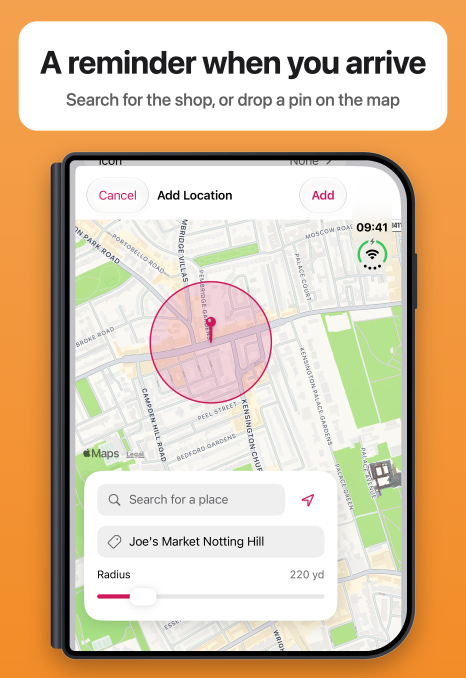
Add the places you use a card, from the map or by searching for a shop, a street or a postcode. When you get there, a notification reminds you, and tapping it opens the card. The Home Screen widget shows the card for where you are, and a card with several places lists the five nearest.
ADD A CARD IN SECONDS
Point the camera at a card's barcode, or choose a photo or a file of it. Card Barcodes reads QR codes, EAN-13, EAN-8, UPC-E, Code 128, Code 39, Code 93, Aztec and PDF417. If a card has no barcode, type its number in.
FIND AND SHARE
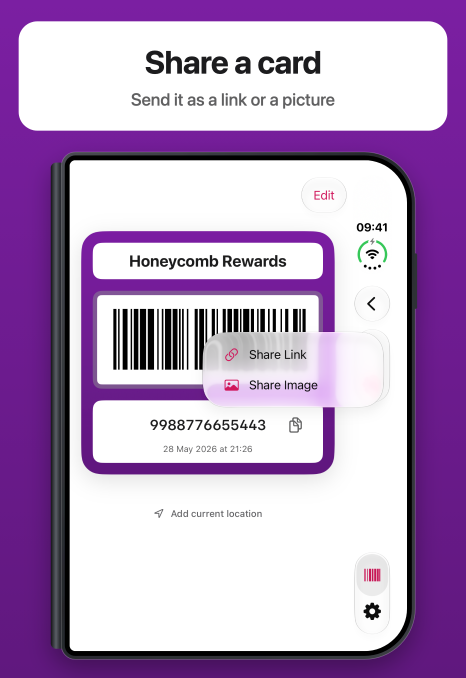
Search your cards and sort them by last viewed, your own order or the nearest place. Share a card as a link someone can add to their own Card Barcodes, or as a picture.
EVERY CARD IN ITS OWN COLOUR
Choose from 23 colours or any colour you like, and give each card an icon. Text stays readable on all of them.
ON YOUR IPHONE AND IPAD
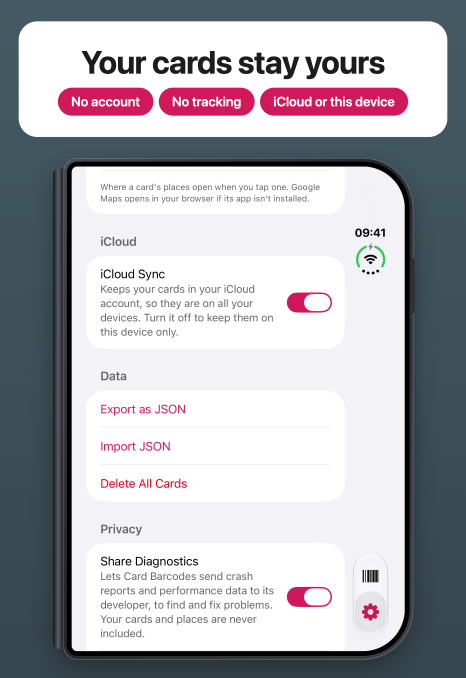
Your cards sync through your own iCloud account, so they are on your iPhone, iPad and iPhone Duo. There is no account to create.
PRIVATE
There are no ads, and nothing tracks you. To fix problems and decide what to build next, the app can send crash reports and count which features you use. Neither ever includes your cards, your places or any personal data, and each is one switch in Settings to turn off. Your location stays on your device, except that Apple Maps is asked to find and name the places you add. Export your cards to a file whenever you want.
FOR EVERYONE
Card Barcodes works with VoiceOver, larger text sizes and dark mode.
Languages
The app follows the language of your iPhone or iPad when it is one of these, and is in British English otherwise.
What's New
Version 1.4
- New: Card Barcodes is now in Spanish, German, Japanese, French and Arabic, and follows your iPhone's language.
- New: Turn off iCloud Sync in Settings to keep your cards on this device only, and delete the copy already in iCloud.
- New: Share a card as a link someone can add to their own Card Barcodes, or as a picture.
- New: Search your cards, and sort them by last viewed, your own order or the nearest place.
- New: Keep notes with a card, such as when its points reset. They show on the card, and search finds them.
- New: Give each card an icon, from 76 in 16 groups, shown on its tile and on the card.
- New: Add a card from a photo, a screenshot or a PDF of its barcode, such as an e-ticket.
- New: A card with several places lists the five nearest and how far away each is. Tap one to open it in Maps.
- New: Choose whether places open in Apple Maps or Google Maps, in Settings. Tap the place at the top of a card to open it there.
- New: Show the card for where you are in full above your other cards, with a new switch in Settings.
- New: Show distances in kilometres or miles, or let them follow your iPhone's settings, with a new choice in Settings.
- New: Find a place by searching for a shop, a street, a town or a postcode. Places are named from the map, and you can change the name.
- New: Change a place you have added to a card.
- New: Import cards from a JSON file, as well as by pasting.
- Improved: The tabs at the bottom of the screen stay in view as you scroll.
- Improved: The camera focuses on a card held close. Tap to focus, or turn on the torch in low light.
- Improved: Your cards are laid out in a grid, two across on iPhone and four on iPad. Press and hold a card to edit or delete it, or delete it from its edit screen.
- Fixed: Opening a card no longer plays a haptic, which it only did the first time.
- Fixed: Dragging cards that all fit on the screen no longer hides the bar at the top and brings it back.
- Fixed: When your iPhone has been left unused for a while, the Home Screen widget keeps showing the card for where you last were, instead of switching to your first card.
Earlier versions
Version 1.3
- New: A Home Screen widget shows the barcode of the card for where you are, or one you choose.
- New: Give each card a colour from 23, or pick any colour you like.
- New: Add the places you use a card, from the map or by postcode, and see how far away they are.
- New: Arrive at one of a card's places and a notification reminds you, and opens the card when you tap it.
- New: Add where you are to a card straight from the card, with Add current location.
- New: Turn arrival notifications off for one card when you edit it, or for every card in Settings.
- New: Pinch to zoom when scanning a barcode.
- New: Copy a card's number with the button beside it.
- New: See what changed in each version in Settings > What's New.
- Improved: Cards show their full colour in the list, with names you can read on any colour.
- Improved: Card screens have a new design, with the name and number on white panels.
- Improved: A new app icon shows a barcode card behind a QR code card.
- Improved: VoiceOver spells out a card's number, and buttons in light mode use a deeper pink that is easier to read.
- Improved: The Cards tab keeps your place when you switch to Settings and back.
- Fixed: New cards go to the end of the list, not the top.
- Fixed: A card needs a name and a code to save, and two cards cannot share a code.
- Fixed: Importing skips cards you already have, and adds the rest to the end of the list in the order they were exported.
- Fixed: The scanner says when the camera is off or missing, instead of showing a black box.
- Fixed: Messages say "1 card", not "1 cards".
Version 1.1
- New: Use Card Barcodes on iPad, in portrait or landscape.
- New: Your cards sync between your iPhone and iPad through iCloud.
- New: Turn Brightness Boost on or off from the card screen.
- Improved: Add a card with one button: the scanner sits at the top of the form and fills in the code and barcode type.
- Improved: Delete All Cards is greyed out when there are no cards to delete.
Version 1.0
- New: Scan a card's barcode with the camera, or type its number in.
- New: Keep cards with QR, EAN-13, EAN-8, UPC-E, Code 128, Code 39, Code 93, Aztec or PDF417 barcodes.
- New: Open a card and the screen brightens, so it scans first time at the till.
- New: Name your cards, drag them into any order and swipe to delete one.
- New: Export your cards as JSON and import them again.
- New: Card Barcodes works in light and dark mode.
Get Card Barcodes
For iPhone and iPad with iOS 18 or later.
Download on the App Store